Ten years, one chord at a time
It's been ten years since I released the first version of Chord Analyser. Since then, hundreds of thousands of people around the world have used it - most of them to learn their chords or sharpen what they already knew, but also in ways I never saw coming.
Some of those uses genuinely surprised me. Through my own users I stumbled onto techniques I'd never even heard of - open voicings, for instance: lush, ringing chords that combine open strings with notes fretted high up the neck. People were using Chord Analyser to explore musical territory I didn't know existed.
A lot of musicians, though, reach for it to compose or to refine the way they play a piece - and that's where the app kept hitting its own ceiling: it could only ever let you hear one chord at a time.
Not long ago, someone left a review asking to hear chords in context - within a key or a mode. I understood the appeal immediately. But I didn't want to pile complexity onto an interface that had been designed, from the ground up, around a single chord.
And then there was my own, long-standing itch. Writing a chord chart by hand is quick and natural - right up until the moment you realise you should have grouped the bars differently, or you forgot a chord, or you want to swap one out. Then it's back to square one. On a computer it's worse: notation editors aren't built for chord charts, and the little web tools out there are fiddlier and slower than pen and paper. More often than not I'd end up wrestling a text editor or a drawing app into producing a sad little grid.
And the real kicker: when I actually need a chart, I'm almost never sitting at my desk.
So for years I'd been telling myself I should build something into Chord Analyser - and, above all, lean on the one thing the app already does better than anything else: let you enter a chord straight from your instrument. That way even a complete beginner can be absolutely certain that every chord in their chart is correct.
A full chord chart, on a phone screen
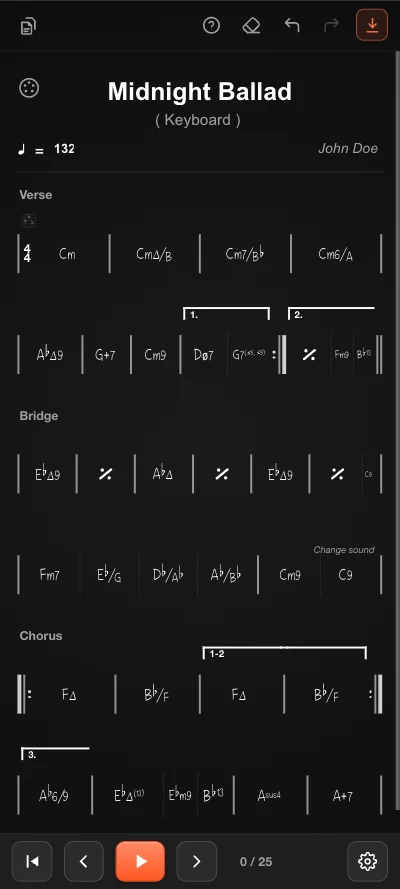
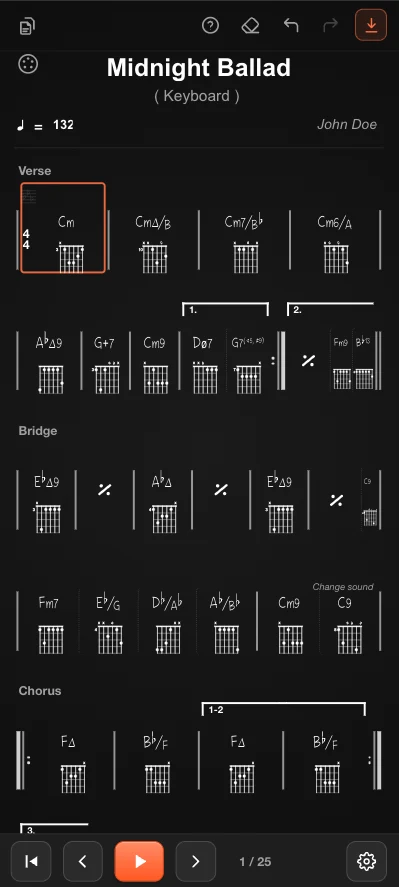
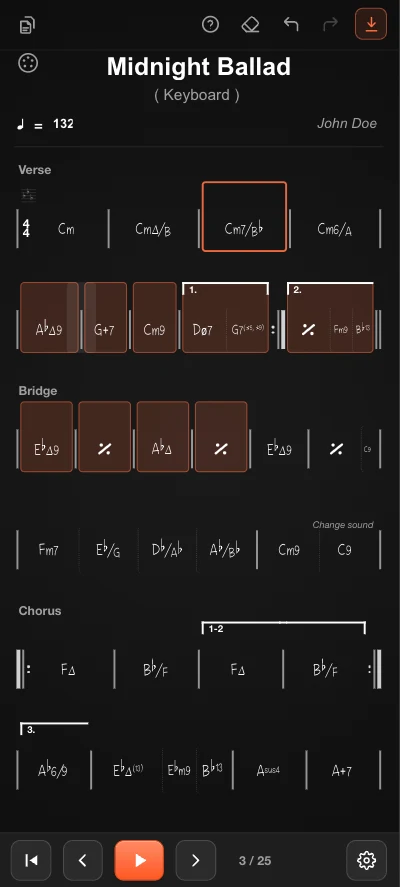
The first thing I obsessed over was readability. A chord chart is dense by nature - sections, measures, repeats, endings, time and key changes - and most of that detail tends to collapse on a small screen. The editor renders a complete, gig-ready chart: a song title and tempo, named sections (Verse, Bridge, Chorus), measures grouped on tidy lines, repeat barlines, first/second endings, and chord symbols as rich as Cm7/b, G7(♯5,♯9) or Ab∆9 - slash-bass chords, alterations and extensions included.
Designed around gestures, not menus
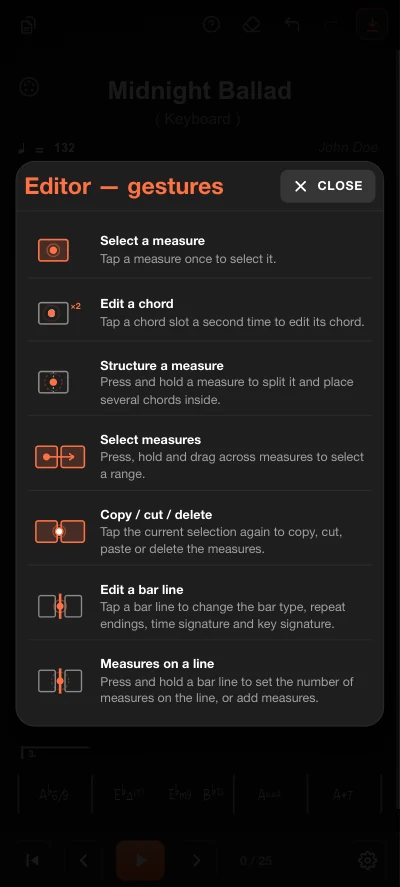
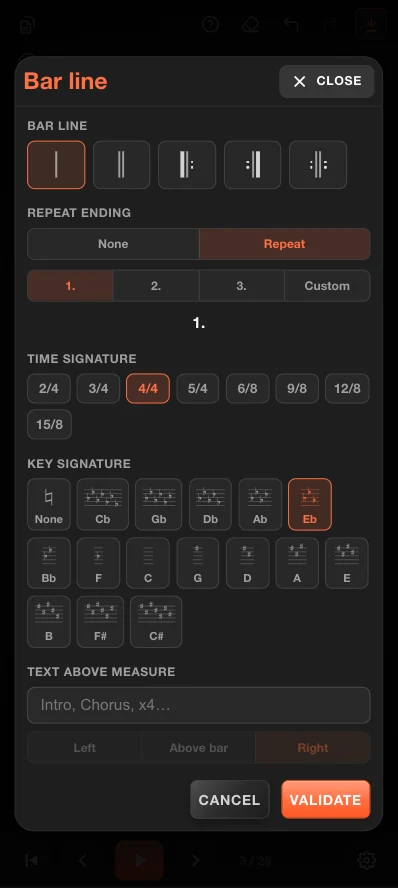
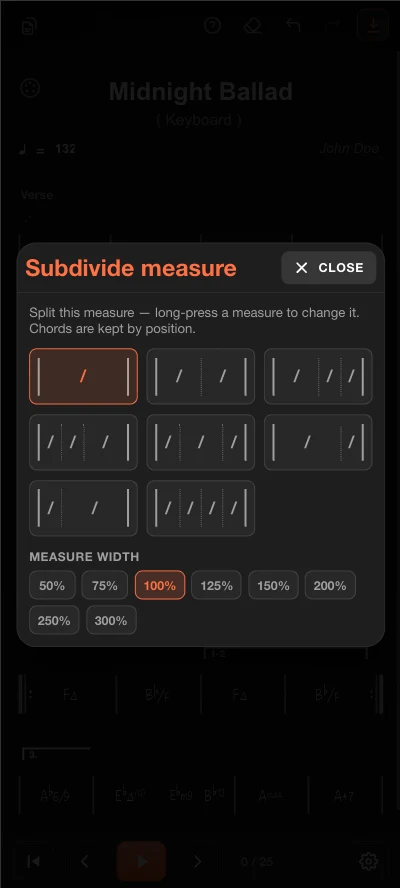
On a phone, menus are the enemy. Every tap that opens a panel is a tap that slows you down. So the editor is driven almost entirely by direct gestures: tap a measure to select it, tap again on a chord slot to edit it, long-press a measure to split it into several chords, press-and-drag across measures to select a range, and tap a bar line to change its type, endings, time signature or key. It takes a minute to learn and then it disappears - you stop thinking about the tool and start thinking about the music.
Enter chords the way you think
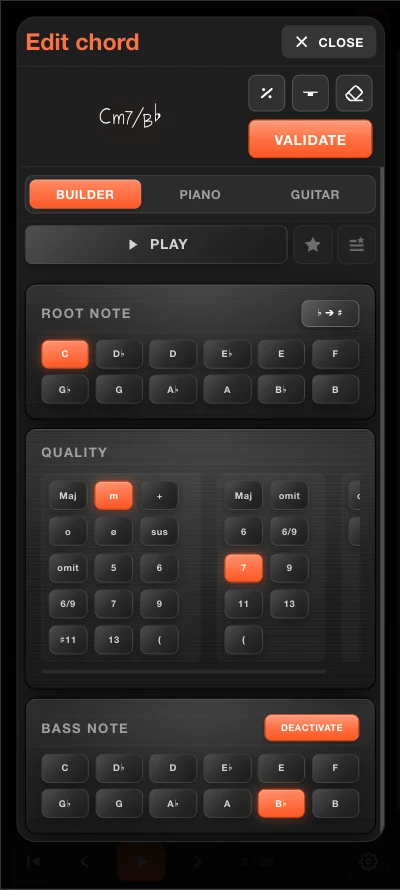
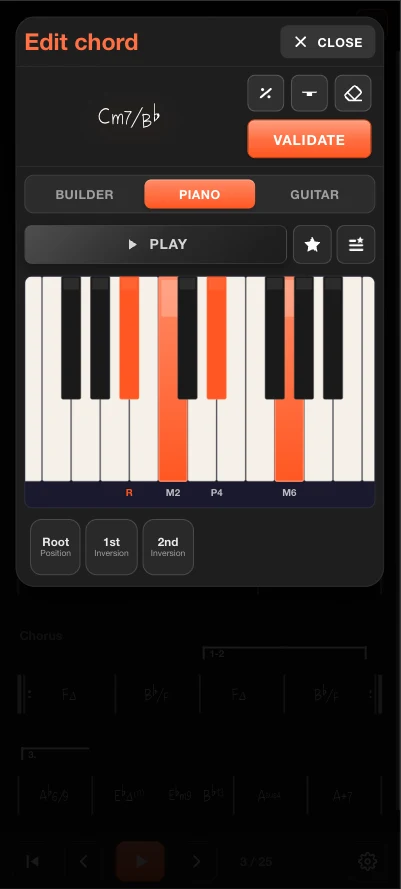
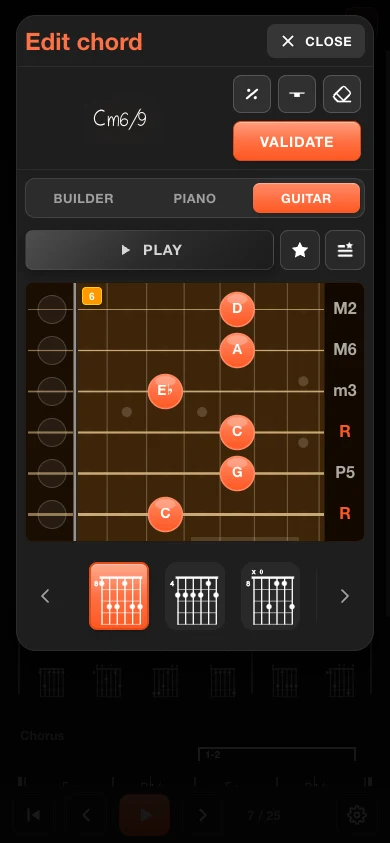
Not everyone hears chords the same way, so there's more than one way to enter one. A graphical builder lets you assemble a chord from its parts - root, quality, extensions and an optional slash bass. Prefer to play it? Tap it out on a virtual piano, complete with inversions, or place it directly on a guitar neck where the app proposes computed fingerings. Whichever you choose, the chord runs through the same engine that powers Chord Analyser's dictionary, so the notation is always correct.
Even faster: capture the whole chart over MIDI
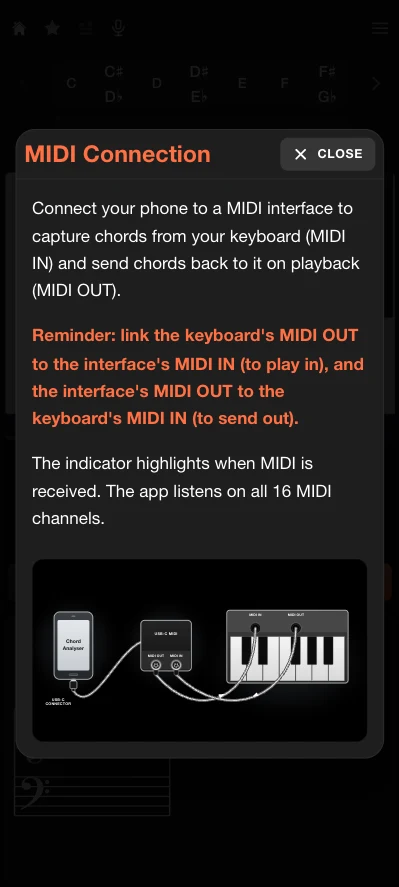
If you own a MIDI instrument, it gets faster still. Plug a MIDI adapter into your phone, then simply play each chord on your keyboard - the editor captures what you played and drops it straight into the chart, correctly notated. With a little method - taking a few seconds up front to lay out the bars that hold several chords - you can enter a complete chord chart in under thirty seconds.
Tablatures for every instrument - open tunings included
A chord chart is more useful when you can see how to play it. The editor can display fingering diagrams underneath every chord, for guitar, banjo, ukulele and the other supported instruments. Because the positions are computed on the fly rather than read from a fixed table, this works for open and custom tunings too - the engine simply recalculates every shape from scratch.
Real musical structure, handled with ease
Songs aren't four-four loops of three chords, and the editor doesn't pretend they are. You can set the key and its key signature, choose any time signature from 2/4 up to 15/8, add repeat barlines and numbered endings, label sections, and even subdivide a single bar into several chords while keeping them aligned by position. A per-line measure-width control keeps everything legible, whether a bar holds one chord or four.
Select, copy, rearrange
Arranging is editing. Press and drag to select a range of measures, then copy, cut, paste or delete them - the same way you'd expect on a desktop, but with your thumb. Rebuilding a chorus from a verse, or moving a section around, takes seconds.
In minutes - then export to PDF
All of this adds up to the thing that matters most: speed. A complete song chart comes together in a few minutes, and when it's ready you can export a clean, printable PDF - perfect to share with your bandmates or drop on a music stand at the gig.
My goal: the most mobile-friendly chord-chart editor out there
I didn't want to shrink a desktop editor onto a phone. I wanted to design one for the phone from the ground up - fast, gesture-first, and powerful enough for serious arrangements. I genuinely believe it's one of the best chord-chart editors around right now, and easily the most comfortable to use on mobile. Try it, and tell me what you'd want next.
Nicolas, maker of Chord Analyser
Try the chord-chart editor
It's built into Chord Analyser - free, no ads. Sketch a chart in minutes and export it as a PDF.
Discover Chord Analyser